+1
951 344 5221
 +44
20 8434 3923


In regulated manufacturing, a temporary deviation is a formal record of an exception to an approved way of working. It has to explain what will change, why the exception is needed, who approved it and what evidence supported the decision. Months later, when an auditor asks about the exception, the record should also show exactly which parts, products or processes it affected.
This article follows a temporary deviation from request through closure and explains what deviation management software should capture at each step.
What a temporary deviation is
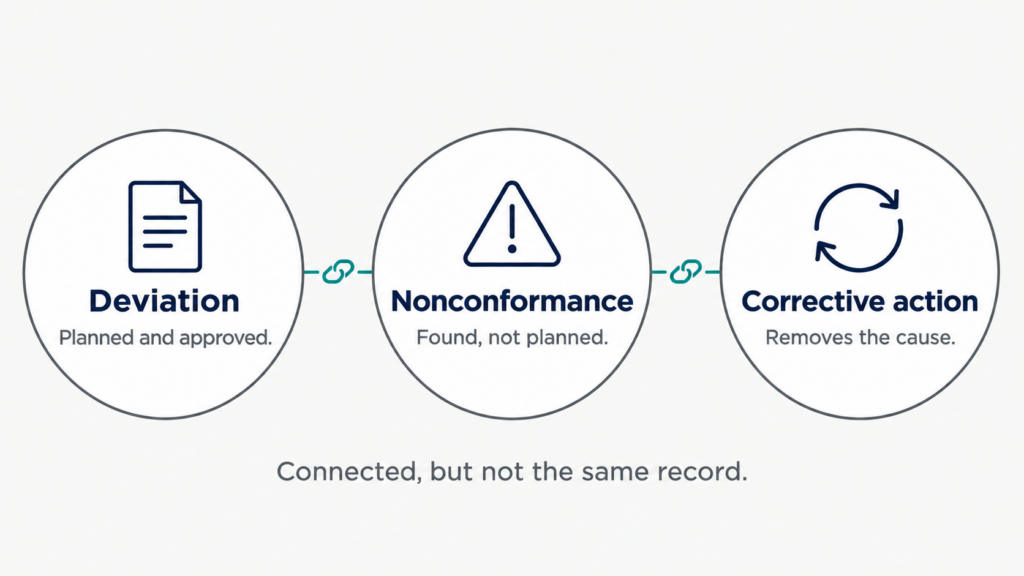
A deviation is a departure from an approved specification, procedure or requirement. This article focuses on temporary deviations requested and approved before use, such as using an alternate component for a specified production lot or allowing a temporary change to an inspection method for a defined period.
A nonconformance records a condition that fails to meet a requirement. A corrective action addresses the cause of a problem to prevent it from recurring.
These records often connect. A nonconforming part might be approved for limited use through a temporary deviation, where the applicable procedure permits it. A pattern of deviations might point to a recurring problem that needs a corrective action. Each record answers a different question: What failed to meet the requirement? What exception was allowed? What needs to change to prevent recurrence?
The temporary deviation lifecycle, step by step
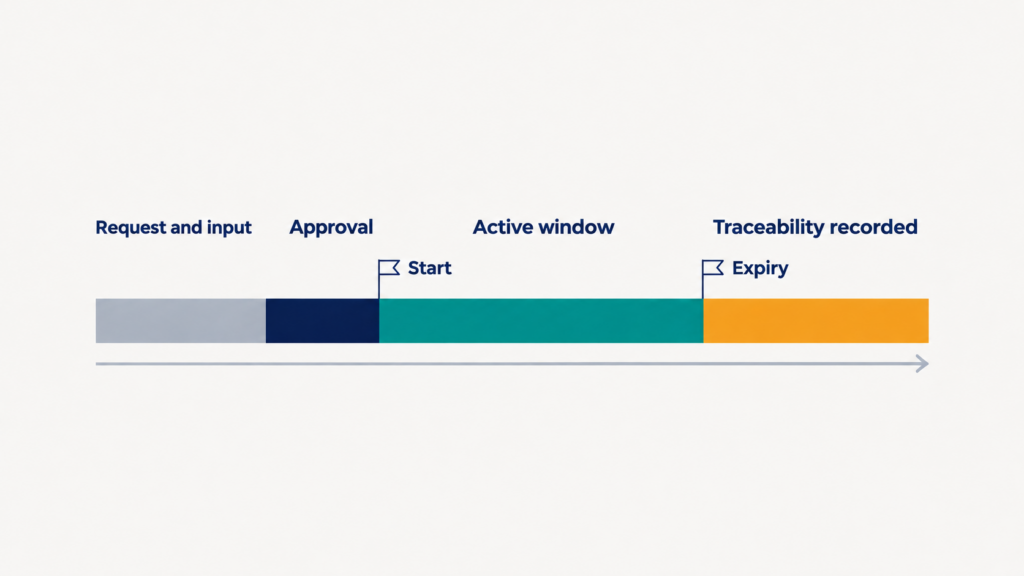
Organizations configure their workflows differently, but a typical temporary deviation leaves a record at each of these stages.
- Request. Record the original requirement, the proposed departure and the reason for the request. Identify the parts, products, processes or documents involved and define the proposed scope, such as the number of units or the period covered.
- Gather expert input. Engineering, production, quality and, where needed, compliance each bring a different perspective. Capture the required input, risk assessment and supporting evidence on the record before approval.
- Approve. Record who approved the request, when they approved it and why they accepted the exception. If the request needs changes, record why it was sent back.
- Activate. Record when the approval takes effect, when it expires and who was notified. Include any limits or conditions, such as an approved quantity or a specific production line.
- Close. Confirm what the deviation actually affected before closing the record. Reconcile the units or lots covered against the approved scope and record any follow-up required.
If expert input lives in email, approval sits in a signed PDF and the affected units are listed in a spreadsheet, reconstructing the decision months later takes more work. A connected record gives reviewers one place to see the basis for the approval and how it was used.
Temporary by design
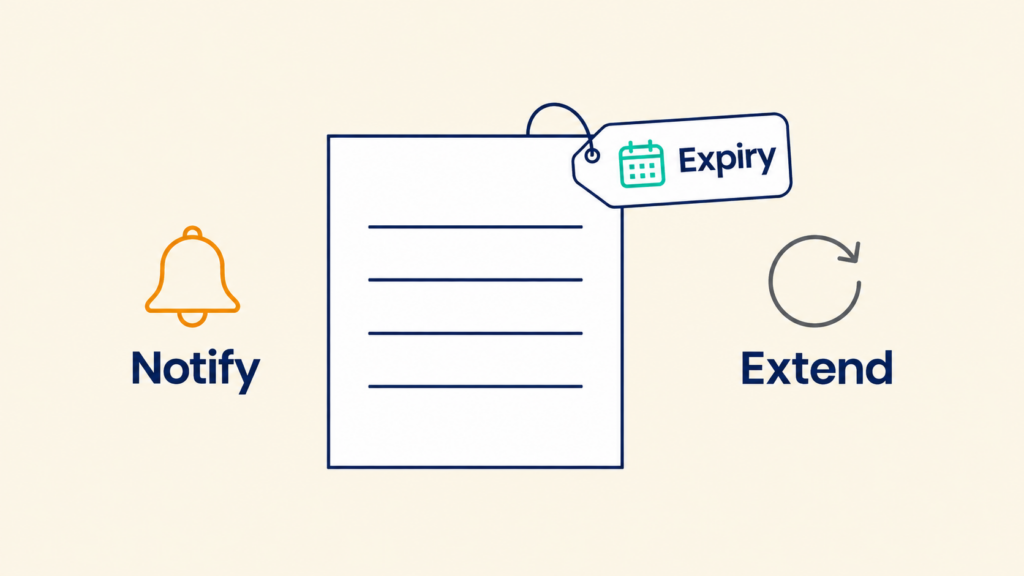
A “temporary” exception approved for two weeks can still be in use six months later if nobody tracks its end date. The approved start and expiry dates should be visible to the people who apply the deviation.
If the exception is still needed, record the reason for the extension, who approved it and the revised expiry date. If it ends early, record when it ended and why. The history should show exactly when the exception applied.
Affected items and product traceability
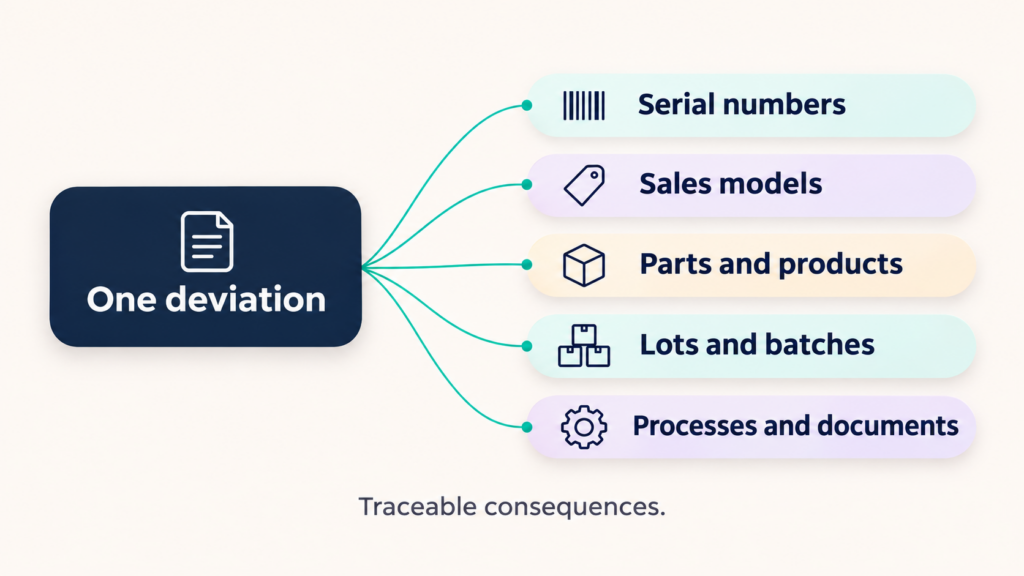
Once an exception is approved, the affected-items list shows where it was actually used. Depending on what the organization tracks, that might include:
- Serial numbers of units built under the deviation
- Sales models affected
- Parts and products involved
- Lots and batches
- Processes and engineering documents the deviation applied to
Months later, when a customer complaint or field issue arrives, this list helps you determine whether the deviation is relevant and which units to look at. If the approval covered up to 500 units and production used it for 320, the record should identify the 320 units or the lots that contain them.
Ownership and permissions
A sound procedure says who can raise a deviation, who gives input, who approves it and who confirms the final traceability. A site quality manager may have approval authority for one site. An engineer may be responsible for providing technical input. The software should reflect those responsibilities so reviewers can verify that the right people made each decision.
Trends that point to recurring problems
A single deviation is a decision. A hundred deviations are data.
If the same requirement needs an exception every month, review whether the specification, the process or the way the requirement is applied needs to change. If one supplier’s parts are behind a string of deviations, review the pattern with that supplier. If deviations cluster at one site or on one line, start the investigation there.
Review deviations regularly. When a pattern calls for a corrective action, link it to the deviations that prompted it.
What a deviation record should link to
Link the deviation to the records that explain where it came from, what it allowed and what followed:
- Originating nonconformance. If the exception was requested because of a nonconforming condition, keep the condition and the decision linked.
- Controlled documents. Identify the specification, procedure or drawing by number and revision so a reviewer can see which requirement was in effect.
- Corrective actions. Link any corrective action raised to address a recurring issue or underlying cause.
What to look for in deviation management software
When comparing tools, ask to walk through one closed deviation and see whether you can answer these questions from the record:
- What was the original requirement, what departure was proposed and which parts, products, processes or documents were in scope?
- Can the owner request input from engineering, production or quality and require that input before approval?
- Can an approver send a request back for changes and record the reason?
- What risks were assessed, what evidence supported the decision and why did the approver accept the exception?
- Can you see who approved or extended the deviation, when each decision was made and when the exception took effect, expired or ended early?
- Which units or lots actually used the exception? Can you find their serial numbers, batch identifiers or sales models where applicable?
- Can a deviation be created from a nonconformance and linked to controlled documents and related corrective actions?
Where to go from here
If your deviations live in a spreadsheet, a shared inbox and a folder of signed PDFs, try pulling one closed record. Can you reconstruct what was approved, why it was approved and which products it affected? Wherever you have to piece the answer together manually is where a connected record can help.
Explore Trackmedium’s Temporary Deviation Management module, or request a demo to see how it would support your deviation procedure.